
Ting
Whisker LabsHouse & Home
4.61.51K Reviews
- Version
- 3.0.10
- Installs
- 500.00K
- Age Rating
- Everyone
Screenshots
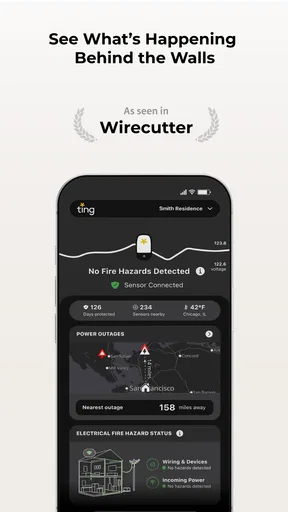
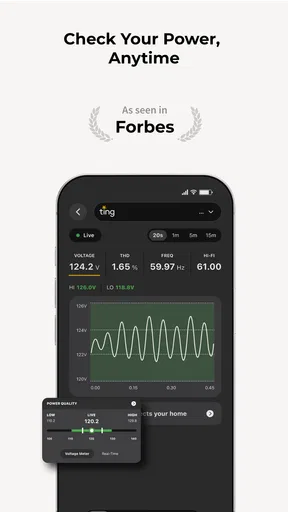
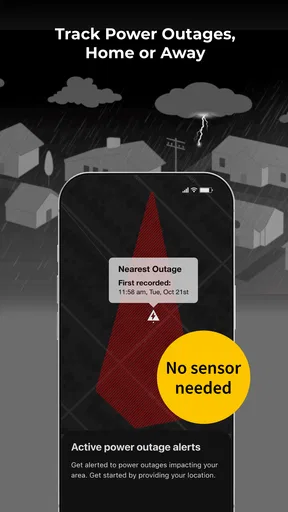
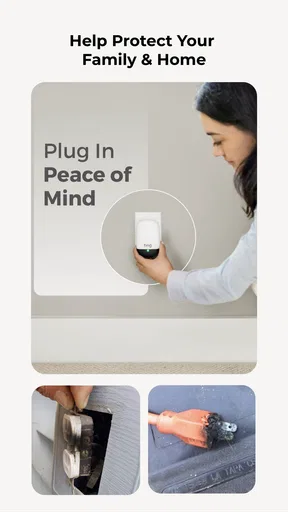
Our Review of Ting
 Analysis by Appyee
Home safety is easy to postpone because the risks are usually invisible until something goes wrong. That is where Ting caught my attention. Developed by Whisker Labs, this free House & Home app is built around fire and power safety rather than the usual smart-home conveniences. I see it as a decision tool for people who want an extra layer of awareness about their electrical environment, not as a replacement for smoke alarms, inspections, or sensible maintenance.
After spending time with it, my view is fairly simple: Ting makes the most sense if you want to monitor electrical safety over time and are willing to pay attention to alerts and recommendations. It is less suitable if you only want a quick checklist, a general home-control app, or a device that solves a problem without asking you to change your habits. The app is free, carries an Everyone age rating, and has built a strong audience, with a 4.7 average from around 7.9 thousand ratings and more than 500 thousand installs.
How I would decide whether Ting belongs in your home
The first question is not whether the app looks polished. It is whether you want ongoing visibility into a part of home safety that is normally difficult to observe. Smoke detectors can warn you about smoke, breakers can trip when a circuit is overloaded, and an electrician can inspect wiring. Ting approaches the gap between those moments by focusing on fire and power safety as something worth watching before a visible emergency occurs.
That makes the app particularly relevant to homeowners, landlords, families with children, and anyone responsible for a property while being away from it. It can also appeal to people living in older homes or managing several electrical devices at once. I would not treat age alone as proof that a property needs Ting, but homes with complicated electrical histories naturally give this kind of monitoring more practical value.
My decision criteria would be straightforward. First, ask whether you are comfortable with a safety app that is part of a broader monitoring setup rather than a standalone emergency button. Second, consider whether you will respond to warnings instead of dismissing them. Third, decide whether you want a dedicated safety tool or prefer to keep everything inside an existing smart-home ecosystem. Ting is strongest when the first two answers are yes.
The app is currently version 3.0.4 and supports devices running Android 8.0 or later. That makes it accessible on many still-used phones, although anyone using an older handset should check compatibility before planning around it. I also appreciate that the product is free to download, because safety monitoring is easier to consider when the initial barrier is low. Free, however, should not be confused with effortless: the useful part comes from setting it up properly and taking its guidance seriously.
What the app changes in an ordinary safety routine
Most people think about electrical safety in occasional bursts. They notice a warm outlet, replace a damaged cable, or call someone after a breaker trips repeatedly. Ting encourages a different routine: instead of waiting for a visible symptom, you make electrical awareness part of the background of home life.
That shift is more important than the store summary might suggest. An app cannot make unsafe wiring safe, and it cannot physically prevent a fault. Its value is in helping you notice information that would otherwise remain outside your normal field of view. I found that framing more useful than expecting dramatic, instant results.
A realistic example is a family leaving home for a weekend. Before Ting, the usual routine might be checking doors, windows, taps, and appliances. With a safety-focused monitoring tool in the picture, electrical concerns become part of that mental checklist. If the app raises an issue, the right response is not to assume the phone has diagnosed the entire property; it is to investigate carefully, unplug questionable equipment when appropriate, and seek qualified help when the situation is beyond basic troubleshooting.
That last point matters. Ting should sit alongside working smoke alarms, safe extension-cord habits, and professional electrical inspections. I would never use an app alert as a reason to delay an electrician, and I would not use a quiet period as proof that every circuit is healthy. The best use is layered protection, with the app providing awareness rather than certainty.
Where Ting feels more useful than ordinary alternatives
The clearest advantage is focus. Many home apps are designed around lights, cameras, thermostats, locks, or entertainment. Those products can be useful, but they often make safety one feature among many. Ting is more narrowly concerned with fire and power safety, so the purpose is easier to understand when you open it.
That narrow focus can also improve household conversations. A general smart-home dashboard may show whether a device is online, while a safety-oriented app encourages a different question: is there anything about the electrical environment that deserves attention? For a person who does not regularly think about circuits or wiring, that change in emphasis can be valuable.
Another strength is the possibility of building a habit around information rather than reacting only to emergencies. I would check it at a calm moment, especially after setting up a new appliance, rearranging a room, or returning to a property that has been empty. This is a non-obvious advantage: the app can become a prompt for better household behavior, even when no warning appears.
It is also useful for people who are not always physically present. A landlord, adult child helping an older relative, or owner of a second home may appreciate having a dedicated place to review safety-related information instead of relying entirely on occasional visits. The app does not remove the need for someone local to act, but it can help make the property less invisible between visits.
I would also give Ting credit for making the topic approachable. Electrical safety can sound technical and intimidating, particularly for renters or first-time homeowners. A focused mobile experience lowers the effort needed to start paying attention. The benefit is not that it turns a non-expert into an electrician; it gives that person a clearer reason to ask better questions.
The practical friction I would consider before installing it
The first limitation is psychological: safety apps can create either false reassurance or unnecessary anxiety. If everything looks quiet, some users may assume they have nothing to worry about. If an alert appears, others may panic before understanding what it means. I think Ting works best for people who can treat its information as a prompt for sensible action, not as a final verdict.
The second limitation is attention. Any monitoring app becomes less useful when notifications are ignored, a phone is rarely checked, or several family members assume someone else is responsible. Before using it in a shared home, I would agree on who reviews alerts and who contacts a professional if an issue needs investigation. That small household rule can prevent the app from becoming another forgotten icon.
There is also a setup and ownership cost in the broad sense, even when the download itself is free. You need to understand what the app is asking you to do, keep the relevant equipment or monitoring arrangement in working order, and make room in your routine for follow-up. People looking for an instant answer may find that frustrating. People who value gradual awareness are more likely to accept it.
Privacy and trust are reasonable considerations for any app connected to home safety. I would read the current permissions and privacy explanations during installation, then decide whether I am comfortable with the information required for the service to work. I would not install it casually on a shared phone without discussing that choice with the household.
Finally, Ting is not the right answer to every electrical concern. If you already have a trusted electrician, a recent inspection, and a well-established safety routine, the app may provide less additional value than it would for someone starting from scratch. Likewise, if your main need is intrusion detection, water-leak monitoring, temperature control, or camera access, a different category of home app will fit that job better.
How Ting compares with the alternatives I would consider
The most obvious alternative is doing nothing beyond the basics. That costs no setup time, but it leaves electrical safety dependent on visible problems and occasional attention. For a careful homeowner who already checks alarms, cords, outlets, and appliances regularly, that approach may be adequate as a minimum. I still prefer adding a focused monitoring layer when the property or household situation makes unnoticed issues a concern.
A second alternative is a conventional electrician inspection. This is the better choice when you need physical diagnosis, repairs, certification, or a professional opinion about wiring. Ting cannot replace that expertise. The trade-off is that an inspection is an occasional event, while an app-based approach is intended to support awareness between visits. In my view, these are complementary rather than competing choices.
Smart-home platforms are another category to compare. They are often better for managing lights, locks, cameras, heating, and routines from one place. If convenience and automation are your priorities, a broad platform may feel more rewarding. Ting wins only when fire and power safety deserve their own attention and you do not want that concern buried among entertainment and comfort controls.
There are also physical safety products such as smoke alarms, surge protectors, and circuit protection equipment. These are essential parts of a responsible home, but they serve different roles. A smoke alarm warns about smoke, a protective device can reduce certain electrical risks, and Ting provides app-centered awareness. Replacing any of those with a phone application would be a serious mistake.
This comparison reveals the real trade-off. Ting is not the most complete home-management solution, and it is not a substitute for hands-on expertise. Its advantage is specialization. If you want one more way to pay attention to electrical safety, it is easier to justify than if you want a single app to control every part of your home.
What switching to Ting actually involves
Because the app is free, the financial barrier to trying it is low. The larger cost is behavioral. You have to make room for setup, learn how its safety information fits into your household, and decide what you will do when something deserves attention. I would not install it during a rushed move or immediately before a trip unless I had enough time to understand the experience.
For a household already using several smart-home apps, adding another service can create notification fatigue. My advice would be to give Ting a clear role instead of allowing it to compete with every other alert. Keep its notifications meaningful, review them at a deliberate time, and avoid turning safety checks into background noise.
For renters, the decision may depend on what can be installed or monitored without changing the property. I would check the arrangement with the landlord and avoid making electrical changes personally. The app may still be useful as a conversation starter, but the person responsible for the building should handle repairs and formal decisions.
For a second home, the switching cost includes planning the response. An alert is only useful if someone can inspect the property or arrange help. I would identify a trusted local contact before relying on any remote safety workflow. That is one of the most important practical insights: monitoring without an action plan can make you feel prepared while leaving the real problem unresolved.
The same applies to older relatives. Ting may help family members stay more aware, but it should not become a reason to monitor someone without their understanding or consent. I would explain what the app is for, agree on who receives information, and make sure the person living there knows that professional help remains available.
Who should install it, and who should skip it
I would recommend trying Ting if you own or manage a home, care about fire and power safety, and want a focused tool that encourages ongoing attention. It is especially sensible for people who spend long periods away, oversee a property for someone else, or want to improve a safety routine without immediately committing to a large smart-home system.
I would also recommend it to a person who tends to forget preventive maintenance. The app cannot create discipline by itself, but a dedicated safety presence on the phone may be more effective than a paper checklist that disappears into a drawer. The strongest benefit comes when the user is willing to investigate calmly and act on meaningful warnings.
I would skip it if you are expecting a universal home-control app, a replacement for alarms, or a guaranteed diagnosis of every electrical problem. I would also hesitate if you routinely ignore notifications or cannot arrange anyone to respond while you are away. In those situations, a simpler safety routine or a professional inspection may offer more dependable value.
People with very old phones should check the operating-system requirement before planning an installation, since the app supports Android 8.0 and later. On supported devices, the free price makes experimentation reasonable, but I would still judge it by whether it changes your behavior for the better rather than by whether it adds another icon to your screen.
My recommendation after weighing the trade-offs
Ting is a specialized House & Home app from Whisker Labs that takes an overlooked subject and gives it a dedicated place in a mobile routine. Its store summary, “Fire & Power Safety,” is brief, but the important distinction is how narrowly it frames the experience. I do not see it as a flashy smart-home companion; I see it as a reminder to treat electrical safety as something worth monitoring before it becomes an emergency.
The app has been available since June 5, 2018, and its current version is 3.0.4. Those details matter less to me than the product’s fit with a user’s habits, but they do show that this is an established app rather than a brand-new experiment. Its Everyone rating also makes it suitable for a broad household audience, provided adults handle technical decisions responsibly.
My final recommendation is positive, with clear boundaries. Install Ting if you want a free, focused way to add fire and power safety to your regular home checks. Use it alongside smoke alarms, careful appliance habits, and qualified electrical help. Do not treat a quiet dashboard as a clean bill of health, and do not panic at an alert without understanding the next sensible step.
For me, the deciding phrase is useful awareness, not automatic protection. That is both the app’s strength and its limit. If you accept that distinction, Ting can be a worthwhile addition to a thoughtful home-safety routine. If you want broad automation or a substitute for professional work, choose an alternative that matches that goal instead.
Privacy and Permissions
See what permissions an app requests and how it handles your data.
- Location
- approximate location (network-based), precise location (GPS and network-based)
- Photos/Media/Files
- read the contents of your USB storage, modify or delete the contents of your USB storage
- Storage
- read the contents of your USB storage, modify or delete the contents of your USB storage
- Camera
- take pictures and videos
- Wi-Fi connection information
- view Wi-Fi connections
- Other
- view network connections, pair with Bluetooth devices, access Bluetooth settings, change network connectivity, connect and disconnect from Wi-Fi, control flashlight, full network access, control vibration, prevent device from sleeping
Verdict
Strengths of Ting
- Simple interface makes browsing and discovering content easy.
- Supports personalized recommendations based on listening habits.
- Works well for users who prefer flexible, mobile-first access.
- Account tools help manage settings and subscription details conveniently.
- Regular updates can improve performance and add useful features.
Limitations of Ting
- Availability and features may vary depending on your location.
- Some content or options may require a paid subscription.
- Recommendations may feel repetitive after extended use.
- The app can consume noticeable mobile data when streaming frequently.
- Occasional loading issues may occur on slower connections.
Similar Picks in This Category
View All
Universal TV Remote Control
CodeMatics Media Solutions3.9

AlfredCamera Home Security app
Alfred Systems Inc.4.7

Planner 5D: AI Home Design
Planner 5D4.5

Universal Tv Remote-Cast to TV
One Music Player4.1

Zillow: Homes for Sale & Rent
Zillow Group4.8

99acres Buy/Rent/Sell Property
infoedge.com4.3
Frequently Asked Questions
What is Ting and what can I use it for?
Ting is a mobile service provider that offers cellular plans for calling, texting, and mobile data. Depending on your location and the available network, the service may use partner networks rather than operating its own nationwide infrastructure. Before downloading or signing up, check current coverage, compatible devices, and available plans in your area to make sure the service meets your everyday communication needs.
Is Ting compatible with my Android or iPhone?
Compatibility depends on your phone model, carrier history, operating system, and whether the device is unlocked. Ting provides a compatibility checker during the activation process, which is useful for confirming whether your phone can be used with the service. Users should also verify that the device supports the required network bands, eSIM or physical SIM options, and any current voice-over-LTE requirements.
Does the Ting app let me manage my mobile plan?
The Ting app is designed to help customers manage important account features from a phone, such as reviewing plan information, checking usage, viewing billing details, and handling account settings. The exact tools may vary by app version and account type. It is convenient for routine management, although some activation, troubleshooting, or plan changes may still require the Ting website or customer support.
How much does Ting cost, and are there extra charges?
Ting’s price depends on the selected plan, the amount of data included, the number of lines, and any current promotions. Taxes, regulatory fees, device payments, SIM or activation costs, and optional add-ons may affect the final bill. Because pricing can change, prospective customers should review the checkout summary and plan terms carefully instead of relying only on advertised starting prices.
What should I check before downloading or switching to Ting?
Before installing the app or moving your number to Ting, confirm network coverage at home, work, and places you visit regularly. Check that your phone is unlocked and compatible, review data limits and hotspot rules, and understand the billing cycle. If transferring a number, keep your existing account active until the port is complete and have the required account details available.
